> For the complete documentation index, see [llms.txt](https://docs.chirpwireless.io/llms.txt). Markdown versions of documentation pages are available by appending `.md` to page URLs; this page is available as [Markdown](https://docs.chirpwireless.io/ai-assistant.md).
# AI Assistant
An experienced integrator by your side for your smart home. Let Chirp’s AI Assistant add sensors, build automations, and configure alerts.
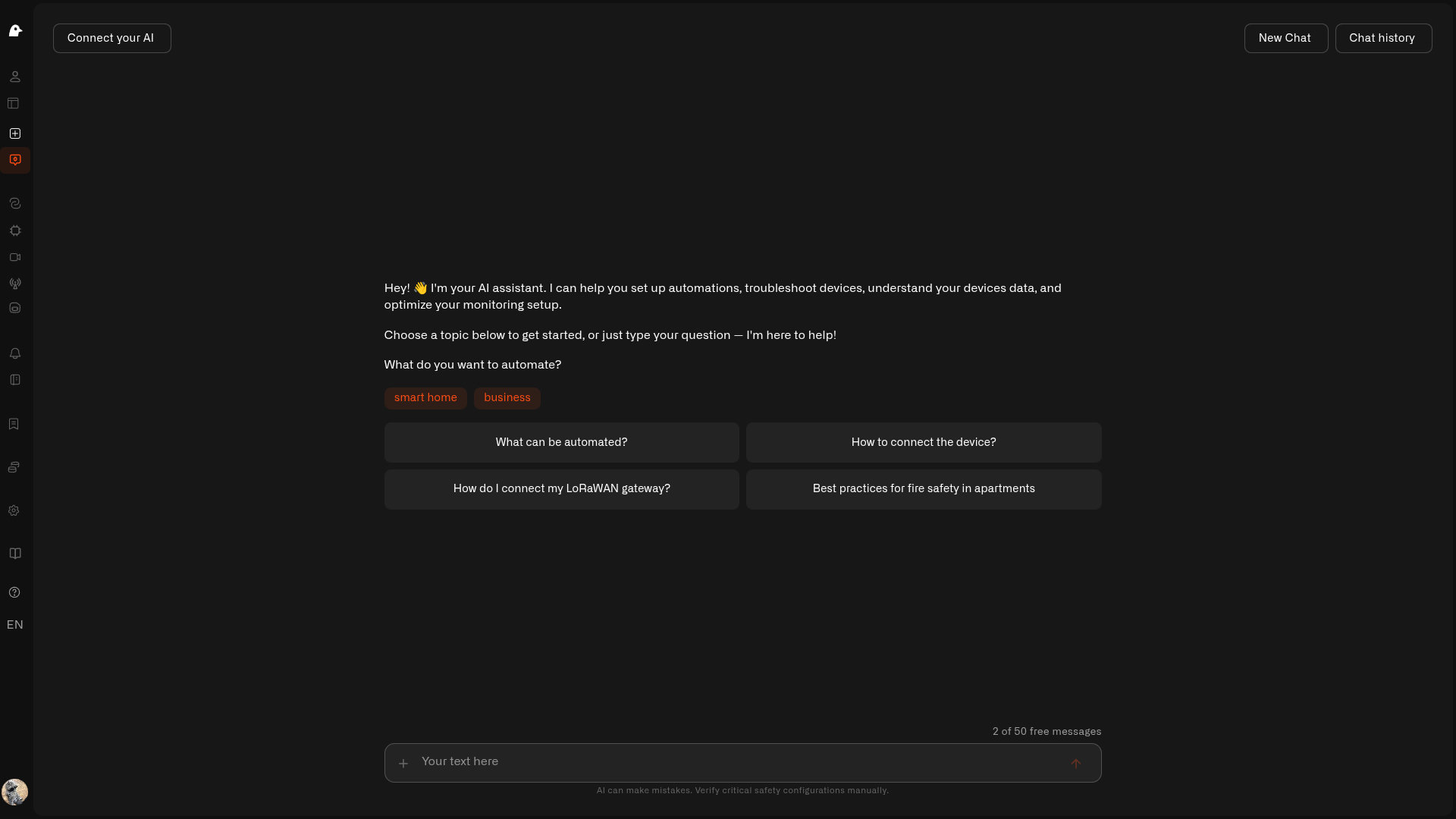
Chirp's **AI Assistant** is like having an experienced integrator by your side, helping you build the home automation you have in mind.
Setting up a smart home has often meant learning wireless protocols, checking which devices work together, and figuring out how to connect sensors, alerts, and automations. With Chirp, you can explain what you want your home to do and let the AI Assistant work through those choices and handle the platform configuration. It can add sensors, build and switch on automations, configure alerts, and create dashboards.
Start with *“Add my new leak sensor to the basement”*, then ask the assistant to create an automation that alerts you when it detects water. It asks for the connection details it needs and builds the setup with you. As your needs change, continue with *“send the alert to my partner too”* or ask it to help automate another room.
Open the AI Assistant using **AI Chat** in the sidebar. [Let the Assistant Set It Up](/ai-assistant/let-ai-set-it-up.md) walks through the work you can hand to it.
## Build your home automation
**It does the setup with you.** Ask for an automation and the assistant can write its logic, build it, switch it on, and test sample readings. It can register sensors and configure who receives an alert, rather than leave you to follow a list of settings yourself.
**You can start before the parcel arrives.** Ask for a pretend sensor, send a test reading, and try out the response. You can prepare the dashboard and automation while you are still choosing or waiting for hardware.
**You stay involved where it matters.** The conversation remembers what you are working on, so *“send that alert to my partner too”* builds on the existing task. Running a device command or deleting a sensor brings up a confirmation. Read the proposed action, then choose **Confirm Action** or **Cancel**.
## What it can do for you
* **Connect and configure** — add a sensor, choose its connection, map its readings, and check whether messages are arriving.
* **Make your home respond** — build an automation, create its alert, and refine the threshold or recipients in conversation. See [Let the Assistant Set It Up](/ai-assistant/let-ai-set-it-up.md).
* **Prepare your views** — create dashboards and folders, arrange an existing dashboard's layout, and get guidance on which widgets suit your rooms. See [Prepare a dashboard](/ai-assistant/let-ai-set-it-up.md#prepare-a-dashboard).
* **Try an idea with pretend sensors** — generate readings and exercise an automation before connecting real hardware.
* **Operate a connected device** — run a saved command after confirmation, then inspect its status.
* **Understand what happened** — compare temperatures, explore a sensor's history, or find devices that stopped reporting. See [Talking to Your Home](/ai-assistant/talking-to-your-home.md).
The assistant can explain saved triggers, but **cannot currently save or edit them in chat**. Set up that monitoring condition on the [Triggers page](/rules-engine/triggers.md); the automation is the response.
## One thing to know
The automation the assistant creates is yours to inspect and adjust in the [Rules Engine](/rules-engine.md). You can follow its steps, test its decisions, and change the setup as your home changes.
For direct control, ask it to run a command already configured on a connected lamp or smart plug. It shows what it will send and waits for your confirmation. The reported result distinguishes command status from optional checks of the device's state. You can also use [Device Commands](/devices/commands.md) or a dashboard [Control widget](/dashboards/adding-widgets/control-widget.md).
The assistant uses your access to the home selected in Chirp. [Your Privacy](/ai-assistant/your-privacy.md) explains permissions, model providers, and saved conversations.
## Availability
The assistant comes with your Chirp plan, with a monthly number of requests included; higher plans include more. If you'd rather not worry about the limit, you can connect your own AI key and keep chatting. You'll see how many requests you have left above the message box.
Prefer your own AI app? You can connect one — like Claude Code or Claude Desktop — straight to your home, sign in with your usual Chirp account, and ask it the same things from your desktop. See [MCP Server](/api/mcp-server.md).
The assistant is powered by [SyntheticBrew](https://syntheticbrew.ai/), the AI agent runtime built by our team. In CHIRP, that runtime works with your home's device information and the actions available to your account. That connects the conversation to the setup work you can do in Chirp.